Remote Support
Click the Remote Assist icon above to launch remote support.
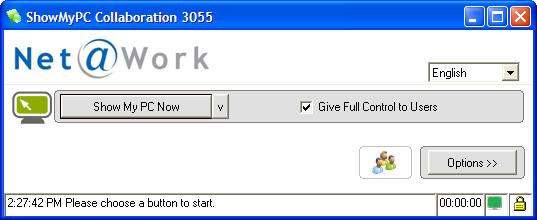
After clicking on “Show My PC” provide the four digit number to the support team member you are working with
For immediate support please contact helpdesk@netatwork.com
If you are experiencing difficulty launching Remote Assist please read the steps below.
Step 1:
After you click the Remote Assist link you will be prompted to run or save the executable file. Select “Run” and continue to step 2.

Step 2:
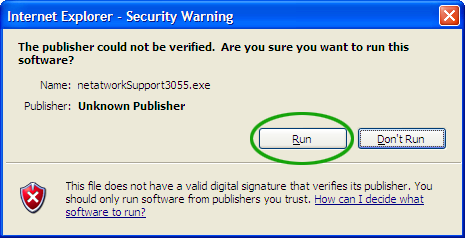
After you choose to run the file, you will recieve a security prompt. Choose the “Run” option once again to confirm that you want to launch the file.
Step 3:
Once you have confirmed and launched the file, you will see the screen below. You should click on the “Show My PC Now” button and provide the four digit number to the Net at Work engineer \ consultant.