



Blog Listing

Technology in Practice
Practical guidance on ERP, CRM, HR, finance, and the technology powering modern organizations.




ERP
Business Leaders’ Focus for 2021 – Acquiring New Customers [Survey Overview]
This post was originally posted on the NetSuite Blog. By Art Wittmann, Brainyard Editor
If 2020 were a Dickens novel, it would sit somewhere between “David Copperfield” (all good until an evil stepdad — er, virus — shows up), “A Tale of Two Cities” (K-shaped recovery, anyone?) and “Great Expectations” (2020 was just so promising — until it wasn’t). We wouldn’t presume to compete with Dickens’s ability to make transitive moments in history come to life in personal stories, but we do have a lot of data on the outlook of business leaders prior to and during the wild year that was. In this evolving story, our latest data writes a chapter about an increasingly positive outlook, a focus on fundamentals and a thirst for new customers.
In December, we re-fielded our survey from December 2019, with only a small number of additions that allow for acknowledging the effects of the pandemic. Our goal was to learn how 2020 had changed the goals and priorities of business leaders. We largely found that metrics for success remained the same from the start of 2020 to the start of 2021 — it’s hard to argue with revenue, profit and cash flow as top metrics — but the top activities undertaken to achieve those metrics had changed fairly substantially.
In short:
Respondents to our survey largely came through 2020 with little or no lasting damage and a positive outlook for 2021.
Their measures of success remain largely unchanged, but customer acquisition is a notably new top activity for the year.
Most respondents expect to spend more in 2021, with spending on payroll, technology and marketing leading the way.
Most notable is a focus on improving sales and secondarily addressing supply chain issues, for companies that are susceptible to supply chain issues. Fewer respondents cited product and customer experience improvements as top activities, though those still ranked near the top of the list. A nearly 60% increase in those focusing on sales is perhaps an obvious outcome of the pandemic. Even for businesses that weren’t substantially harmed last year, it’s likely some of their customers were.
Perhaps more surprising is that just two in five companies cited improving sales as a priority last year. Since our survey respondents tended to be smaller companies, it’s likely that a good economy plus a laser focus on customer experience and product improvement amounted to a formula for steadily improving sales. Then, a year in which the economy retreated the most it has since 1946 changed that formula.
We also single out supply chain issues here because many of our respondents came from services industries that shouldn’t have been significantly affected by supply problems (though some, like healthcare, certainly were). When we add up the respondents who came from supply dependent industries, we see that around 90% of them are concerned about supply chains. Not surprisingly, the drivers have changed here, from concerns over tariffs last year to COVID-related issues now. Respondents expressed these in freeform answers, which often described continuing issues with suppliers but also indicated a proactive attitude toward resolving issues.
While the focus for 2021 seems to be around ensuring the pace of business is what it needs to be, most respondents were bullish on 2021, with 73% expecting a good year (vs. 80% last year). Also, the reported spending trends are swinging around to look like they did before the pandemic, with most respondents increasing their capital spending. This is a win for CFOs, as they supported spending back in September while other executives thought they’d still be cutting in 2021.
Since April, when cuts happened across the board, everyone has agreed on one area for new spending: technology. Now, expected spending increases in technology match those predicted last year. While many spent on technology to manage work from home and open ecommerce sales channels, it appears there’s more to be done.
The other two areas in which spending outlooks are nearly as aggressive as last year are payroll and marketing. Last year, respondents nearly universally said they’d spend more on payroll, and among their top worries were historically low unemployment and growing skills gaps in their workforces. The pandemic has had its effect on unemployment, but the skills gap largely remains.
The marketing spend is clearly in support of goals around new customer acquisition and the realization that marketing, particularly online marketing, is more critical now that face-to-face sales and events like trade shows aren’t in the cards.
This post was originally posted on the NetSuite Blog. By Art Wittmann, Brainyard Editor
Read more

Blog
ERP
How an Inventory Management System Drives Profitability
Inventory management is more than knowing how much of something you have on the shelf; it is the tracking and organizing of goods from supplier, through the manufacturing process and into customers’ hands.
Inadequate inventory management directly affects the customer experience. Without a real-time understanding of inventory on-hand, and its status, businesses are unable to effectively plan and execute on customer orders.
According to one report, 43% of small businesses either track inventory manually or don’t track it at all.
By relying on manual, paper-based inventory practices, businesses suffer from:
Inaccurate, time consuming inventory reporting
Inefficient inventory management, resulting in excess products in one location while out of stock in another
Inaccurate planning, resulting in increased discounting and write-offs of excess, slow-moving and obsolete inventory
Unnecessary handling that increases the cost of goods sold (COGS)
Stockouts that lead to lost sales from customers going to a competitor
Inability to track and trace the product from supplier to customer order
Managing Inventory Automatically with Software
Automating manual processes associated with managing inventory and having the insight to better forecast and utilize inventory improves inventory management across these four areas:
Multi-location
If you stock, sell and fulfill items in more than one location, it is essential to have visibility into stock levels across all locations to optimize inventory usage and get products to customers in the quickest and most profitable way. Inventory management software allows you to set pre-defined parameters such as whole order inventory availability and location, which sends orders to the location that has all items available, which eliminates multiple shipments for a single order and increased shipping charges. Inventory management software can also help maximize inventory sell through and minimize out of stocks. In fact, with NetSuite Inventory Management, stores can be set up as a location, providing a true enterprise-wide view of inventory. With visibility into inventory across all locations, you can proactively monitor stock levels and sell through, transferring inventory between locations as necessary to ensure inventory availability and minimize obsolete inventory. Sales associates are empowered to save the sale in stockout situations with access to enterprise-wide inventory availability, enabling them to transfer, hold or ship items directly to the customer. Businesses can also minimize the amount of inventory required to be on hand by executing a cross-channel fulfillment strategy, easily fulfilling online orders from store. With NetSuite, multi-location inventory management also allows you to analyze and understand seasonal and location specific trends.
Replenishment
Customer satisfaction and profitability require maintaining the right amount of inventory to fulfill anticipated orders while keeping excess stock to a minimum. Businesses must account for fluctuations in demand, seasonality, supply chain logistics and a product’s natural lifecycle to ensure sufficient stock on hand. NetSuite inventory management provides demand-based replenishment by using historical and seasonal-based sales, average lead time and number of days’ supply to stock data to dynamically manage item reorder points and maintain preferred stock levels. It generates tasks, alerts automatically and sends the tasks to the purchase manager for execution.
Cycle Counting
Regular cycle counting is an important means of establishing checks and balances, ensuring items accounted for in the inventory system are physically on the shelf. Integrating cycle counting as an ongoing periodic task reduces required safety stock, lowers overhead costs, makes physical counts less painful and is an important anti-theft tactic. NetSuite inventory management allows you to categorize inventory based on the volume of transactions and/or value. You can then schedule regular periodic counts of on-hand item quantities and auto assign count tasks to floor staff to help maintain inventory accuracy. By implementing periodic cycle counts for select SKUs instead of performing a full cycle count, the count can be integrated into everyday tasks, minimizing the disruption of warehouse operations. If items are stored in multiple locations, using bins in the warehouse greatly eases the counting process and accuracy as you know exactly which bins to go to perform the counts, instead of walking around looking for the items.
Traceability
Companies need the ability to trace products through their entire lifecycle. By using lot and serial tracing, businesses are able to both backward trace (linking finished goods to raw materials and suppliers) and forward trace (linking finished goods to purchase order and customer records). Lot numbers give you the ability to track the quantity of items and the specific cost for each group of products based on when they were produced. On the lot number record, you can identify an expiration date and enter notes about the lot. Serial tracking lets you choose a specific serial numbered item to fulfill or receive an order. Together, lot and serial numbers allow you to define fulfillment strategies (such as FEFO – first expiring, first out) to minimize waste and ensure inventory is used in the most efficient way. Bin management and defining your merchandise hierarchy also help with traceability. Using matrix items enables you to track items by options such as size and color. An item matrix consists of a parent item and subitems. Updates made to the parent item can be automatically applied to the subitems – greatly simplifying SKU management. With an item matrix, each subitem is tracked separately.
Learn more about how to pick the right inventory management system for your business.
This post was originally published on NetSuite.com By Abby Jenkins, Product Marketing Manager for Inventory, Warehouse, Order and Supply Chain Management
Read more

ERP
5 Ways Graphic Design is a Powerful Tool for Your Business
Download the free guide
Graphic design is much more than attractive imagery. Graphic design is a powerful marketing tool.
When people think of design, they usually imagine pretty pictures or attention-grabbing colors. What many people don’t realize is that design is a vital and often underused tool that helps to bridge a communication gap between your customers and your business.
Graphic design not only plays a vital role in your brand identity, but it helps you to add credibility to your business.
It can enhance your brand message, express professionalism, evoke emotions, and even boost sales.
First impressions matter with design.
Bookmark Sage Support Resources today!
When people visit your website, you only have about 5-7 seconds to grab their attention.
People are visual creatures by nature, and our brains are designed to store visual memories for longer. We also react more emotionally to images more than we do with text. Design offers a huge potential to engage with your customers in a lasting way.
Graphic design plays a huge part in your brand identity. With the right logo, colors, and visuals in place, you can create a strong brand that’s unforgettable to your audience. A good graphic designer will create visual branding that not only communicates who you are but will resonate with your target audience.
Implementing well-designed and targeted graphics across your sales & marketing materials will increase your chances of capturing attention while creating a memorable brand experience. In the context of a website, when you engage your visitors they’ll spend more time on it, which will lead to more inquiries or purchases, AKA higher conversion rates.
Great graphic design can set you apart from your competitors and create continuity so that your customers will keep coming back to you.
Graphic design doesn’t just look good, it solves problems.
In this e-book from our partners at Costello Creative Group, they look at five ways graphic design can be a powerful tool for your business by providing solutions. They focus mainly on websites and branding, but these steps can be applied to most forms of sales & marketing communications both digital and in print.
Download the free guide
Read more

ERP
Acumatica Quick Tips Video: Modifying User Interface and Renaming Terms
In this video we go over renaming and moving workspaces to fit your needs in Acumatica Cloud ERP. We also discuss how to change terminologies on a screen.
Contact Us if you have any questions or would like more information about Acumatica features and enhancements.
.embed-container { position: relative; padding-bottom: 56.25%; height: 0; overflow: hidden; max-width: 100%; } .embed-container iframe, .embed-container object, .embed-container embed { position: absolute; top: 0; left: 0; width: 100%; height: 100%; }
Read more

ERP
Manufacturers Sneak Peek: NetSuite 2021 Release 1 Brings Manufacturers Closer to Autonomous Supply Chains
The past year created a new sense of urgency among leaders of manufacturing companies, and they’re making investments in technology and digital technologies as a result, according to a Manufacturing Leadership Council (MLC) poll. Supply chains are in sharp focus of course, with a majority reevaluating their strategies because they experienced severe disruptions and want to better prepare for future events.
One of those future events is sector growth. After hitting lows in March, manufacturing sentiment is climbing. In fact, 66% of respondents reported a positive outlook for their company, according to a Manufacturing Institute report.
New functionality in NetSuite 2021 Release 1 will help manufacturing companies better predict demand and plan supply, adapt to the autonomous supply chain, and simplify inventory and warehouse management processes to drive down costs.
Autonomous Supply Planning Capabilities
Enhancements to the Supply Planning Workbench now allow for date-based views so the planner can review the planning results for an item and location by period to uncover trends. There’s also a new sorting parameter called “high impact late demand threshold” that triggers a color-coded alert directly in the Supply Planning Workbench whenever late demand exceeds demand thresholds established by the company.
To reduce strain on the system during busy times, planning repository refreshes can be automated to run in off hours. Planners can designate criteria for the process to repeat at a specific interval, freeing up their time as well.
New Saved Search functionality provides ad-hoc reporting and analysis for planning repository data and the planning results data generated by the supply planning engine.
Blanket PO schedules and inbound shipment information are now included in the snapshot view in Supply Chain Control Tower, which lends more accurate information on the projected net available inventory balance for each location.
Automated Inventory Management
The new NetSuite Pack Station provides a simple, touchscreen interface for easier and more accurate packing processes. Some of the new functionality includes grouping orders with the same shipping routes together so those orders can be packed together, support for partial picking and weights can be scanned directly from scales, to avoid errors from manual entry.
New warehouse management system (WMS) enhancements provide the ability to automatically create picking waves and organize by delivery times, delivery address, shipment numbers and more. Wave creation activities can be scheduled for off-peak hours so that the system isn’t taxed during busy periods. Other enhancements focus on tally scans, cart put-away, bulk picking, automatic label printing and added support of mobile status changes.
Inventory can be allocated and reserved by channel and manufacturers can now allocate against a blanket PO.
Customers can configure rules for FEFO (first expiry, first out) allocation of inventory to optimize inventory and reduce waste.
Smart Financials and Operational Automation
New functionality better supports invoicing and billing processes for multiple subsidiaries by automating the process of moving the items from a single PO from the purchasing subsidiary to the one they’re going to, previously a highly manual process. Statutory bills and paperwork required for each individual subsidiary is also now automated.
New expense commitments and budget validation functionality prevents overspending by validating purchase requests and orders against an organization’s available budget, ensuring that budgets are closely followed.
This article was posted on NetSuite.com and written by By Gavin Davidson, Manufacturing Industry Lead
Read more

ERP
What’s New in the NetSuite 2021.1 Release? Discover New Innovations Across NetSuite
As NetSuite customers look ahead to 2021, they are preparing for new growth opportunities, and a critical part of that is optimizing financial and operational business processes. NetSuite 2021 Release 1 seeks to further help the cause by injecting intelligence and automation into everything from financial and project management to multi-subsidiary operations and inventory management.
What’s new
Companies can consolidate purchases across multi-subsidiary organizations and generate vendor payments from a single location with the new centralized purchasing and billing feature. The payoff: better spend management and increased productivity.
New expense commitments and budget validation functionality prevents overspending by validating purchase requests and orders against an organization’s available budget, ensuring that budgets are closely followed.
With the latest global bank feeds feature, businesses can now use the Bank Feeds SuiteApp to automate the importing of financial data from banks in Asia, Australia and New Zealand, increasing efficiency and simplifying tedious reconciliation tasks.
Feature highlights for Wholesale Distributors
The NetSuite Pack Station is a new touchscreen packing solution that can be used to consolidate shipments, pack multiple cartons simultaneously, manage multi-level packing and scan weights from scales. This provides an extra layer of verification before orders are shipped, potentially preventing customer dissatisfaction and avoiding the cost of having to reship an incorrectly packed order.
Added warehouse management system (WMS) functionality provides the ability to automatically create picking waves and organize by delivery times, delivery address, shipment numbers and more. Wave creation activities can be scheduled for off-peak hours so that the system isn’t taxed during busy periods. Other enhancements focus on tally scans, cart put-away, bulk picking and automatic label printing and support of additional mobile status changes.
Feature highlights for Manufacturers
Enhancements to the Supply Planning Workbench now allow for date-based views so the planner can review the planning results for an item and location by period to uncover trends. There’s also a new sorting parameter called “high impact late demand threshold” that triggers a color-coded alert directly in the Supply Planning Workbench whenever late demand exceeds demand thresholds established by the company.
To reduce strain on the system during busy times, planning repository refreshes can be automated to run in off hours. Planners can designate criteria for the process to repeat at a specific interval, freeing up their time as well.
Feature highlights for Software companies
The new delta charges feature in SuiteBilling global invoicing lets software companies create delta charges for changes to invoiced service periods. This ensures that invoices precisely reflect changes to original invoice amounts, rendering credit memos unnecessary, reducing changes and simplifying customer invoices.
Staff can review, approve or reject transactions on the go with SuiteApprovals email approval. These actions can be taken with a simple click in an email, leading to more flexible and quicker transaction approvals, and the accompanying email approval log allows for review and auditing of those actions before any system updates.
Feature highlights for Retailers
Allocate orders by channel, as well as reserve inventory in advance of a sales order to prevent overselling or underselling by channels. Instead of creating new locations, everything can be viewed together, which helps to deliver inventory management KPIs around fill rate, first expiry, first out (FEFO) rules and more.
The release also includes the ability to allocate against a blanket PO, with best location recommendations to enable more accurate order promising for orders that will require multiple payments over a period of time. This includes by the earliest availability and when the supply is required by.
Feature highlights for Services companies
NetSuite 2021 Release 1 brings the debut of SuiteProjects, a professional services automation solution built natively on NetSuite. SuiteProjects combines capabilities in project management, resource management, project budgeting and project accounting, providing complete visibility into, and control over projects and billable resources. When combined with NetSuite CRM, financials and SuitePeople, SuiteProjects becomes the finishing touch on a comprehensive single platform for running a services business.
With project purchase automation and visibility, project managers can initiate purchases from projects, access project views of purchase transactions and route purchase approvals. This fuels collaboration between purchasing and project management, and project managers can use the simplified user experience to easily view the impact of purchases on projects.
Feature highlights for Nonprofit organizations
New soft credit capabilities recognize constituents who help bring in donations. It allows multiple constituents to be attached as soft credit recipients on a transaction. This helps a nonprofit precisely measure the total giving impact of a constituent.
New fundraising reports in NetSuite 2021 Release 1 help identify donors who have given in the past but haven’t donated this year yet. It makes it easy to generate a list of lapsed donors. It also shows the recency and frequency of previous gifts from these lapsed donors.
Feature highlights for Developers and Admins
Administrators and operations teams can now deploy new Application Performance Management (APM) dashboards that monitor and analyze the health of REST web services-based integrations running in their NetSuite accounts.
In this release, NetSuite introduced native language support for SuiteAnalytics Workbooks, letting users analyze and explore business data and associated workbook fields in their language of choice.
This post was originally posted on the NetSuite Blog. By Lisa Schwarz, Senior Director, Product Marketing
Read more

ERP
Adding Fees or Surcharges in Sage X3 Based on Customer/Product Price List
In this blog post, we’ll review how to setup a fuel surcharge at a detail level by product and customer in Sales Price List and print the amount as an additional Invoicing Element on the Invoice Footer. This process applies to any discount or surcharge fee (for example, quantity break discounts, swell discounts, or freight charges based on weight).
1. Setup an Invoicing Element in Sage X3
Choose Value type = Amount
The Entry Invoicing Elements position can be left at zero. We will not need to enter any Invoicing Element. It’s all configured in the price list Customer/Product.
Bookmark Sage Support Resources today!
2. Sales Price Structure
Add a new line in the Sales Price Structure. Leave ‘Net price-tax’ set to No. Add the Invoicing Element number so it prints on the Invoice Footer.
3. Setup the Sales Price list
Change the Fuel Surcharge to YES , so the field will show in the Sales Order detail line.
4. Enter or Import the Price and Fuel Surcharge Rate by Customer and Product
5. Enter a New Sales Order
Since customer and product match to the price list entry , the fuel surcharge defaults automatically.
We show the individual rates for fuel surcharge on the detail line. The fuel surcharge total amount prints on the report footer as requested.
6. Enter Sales Invoice (after delivery created and validated)
The fuel surcharge prints on the Invoice Footer as designed.
Need more information? Contact us. Our Sage X3 experts are happy to help answer your questions.
Read more
ERP
Before You Forget About 1099s Until Next Year
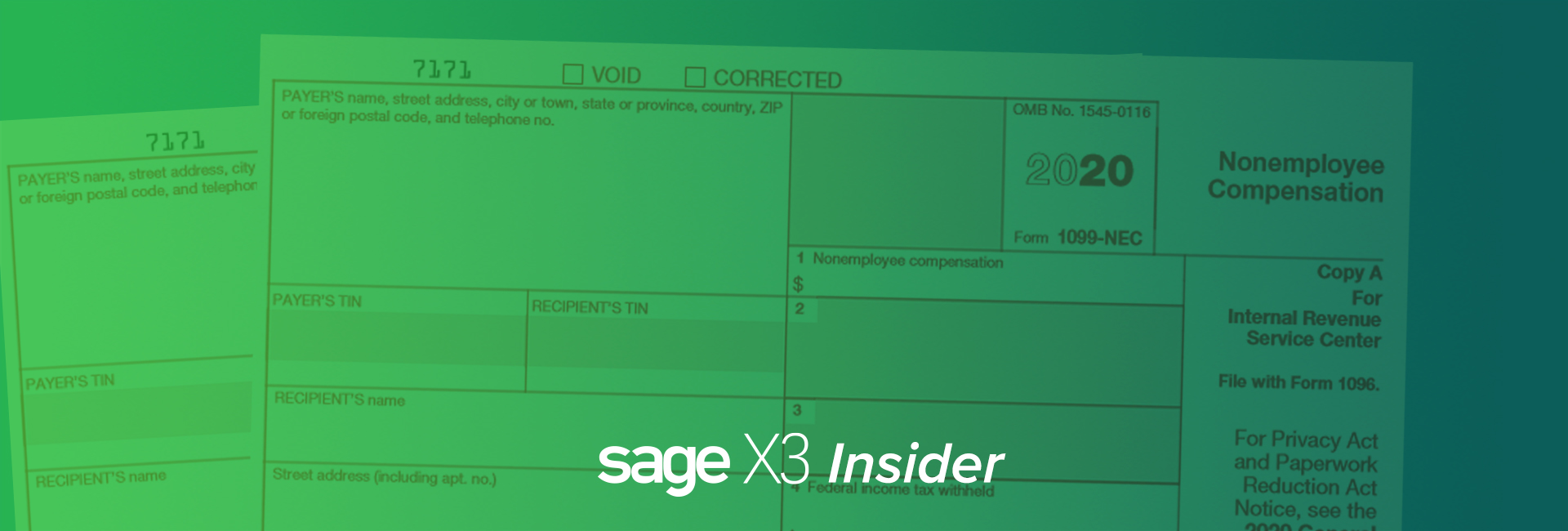
While filing 1099s is still fresh in your mind, have you changed the default on you BP supplier’s 1099 form from MISC/Box 7 to form NEC/Box 1? Yes, that 1099-NEC will be around for the 2021 fillings. It won’t be painful. You know that it will make the people who key in the vendor invoices so happy to have the 1099 defaults correct.
In this blog post, originally posted on Sage City Community by Pam Nightingale, January 29, 2021, we’ll review how to change the default on your BP supplier’s 1099 from MISC/Box 7 to form NEC/Box 1.
For those that have been trying to block this out of their minds, the 1099-NEC form is the 1099 for reporting nonemployee compensation. Tracking the 1099-NEC began on January 1, 2020. This information used to be tracked on 1099-MISC box 7.
Bookmark Sage Support Resources today!
Where is the BP Supplier default set?
The default 1099 form and 1099 box are set on the Financial tab under Common data, BPs, Supplier.
If you try to select 1099 form MISC and 1099 box 7, notice that box 7 is no longer in the dropdown menu.
If you try to manually enter 1099 form MISC with 1099 box 7, you will receive a “Field error ‘1099 box’. Invalid 1099 box” message and will be prevented from saving.
How do you know if you missed changing any defaults? Let’s look at a few simple ways to do this.
One easy way is to go to the Right box under Selection and click Advanced selection.
If you just want to determine which ones are still 1099-MISC/Box 7, you can just pick the BOX1099 and FRM1099 fields from the BPSUPPLIER Table.
Before you leave, click Memo. Create a memo for this Advanced selection so you don’t have to keep recreating it. Just click Recall to use again. The Memo function is available when running reports and even Payment proposals. It is a great little key stroke saver.
Once you have finished creating the Memo, click OK to return to the Object selection screen. Click OK to filter the Left list with suppliers that have 1099 Form MISC/1099 Box 7.
You could add the 1099 Form and 1099 Box to the Left list. Under Development Script dictionary, Basic objects, select BPS Object code (1) and proceed to the Selection tab (2). In the Selection grid add the Field FRM1099 (3) and the Field BOX1099 (4) from the BPSSUPPLIER Table. Click Save icon (5) and then click form1099 Validation (6).
If you are not familiar with modifying screens, objects and windows, contact us for assistance.
When you return to BP Supplier, the Left list now has columns for the 1099 form and 1099 box. The information is available at a glance. Keep in mind, that this adds overhead to the processing and could add time to the left list populating.
Another simple option is a Query tool based on the BPSUPPLIER table. Add the BPSNUM, BSPNAM, FRM1099 fields and BOX1099 fields. Note that we set Range=Yes for the Supplier number. This will allow us to select a range of suppler numbers in our query. You might want to have a range for forms or boxes.
Before we go any further, we want to make a change on the Advanced tab. We are going to enter a Maximum lines number. If we make a mistake on any of our query formulas, we won’t bring the system to its knees by setting this maximum number. Also, closing your browser doesn’t stop the query from running. The data collection/calculations are running on the server. See your IT person if you need to stop the query generation.
Now it time to Create (1), Validate (2) and Run (3).
You can click Criteria to select a range of supplier numbers or let is run for all.
We have selected a range of BPs. Notice there is a Memo button. We can save our Criteria for future use.
After clicking OK, we have our query results with BPs and their 1099 form and 1099 box defaults. The Last generation fields are important. The query retains the data after you exit. To refresh, click Search. Always check the Last generation to ensure you have the most up-to-date data.
Now that was all pretty painless. You’ve cleaned up all your 1099 form and 1099 box defaults and can monitor them going forward. And, all the people entering AP invoices will be so happy that you’ve saved them a few key strokes.
Need more information? Contact us. Our Sage X3 experts are happy to help answer your questions.
Read more

ERP
NetSuite CRM Solutions Need a Unified, Multi-touch Experience
Companies using NetSuite invest a lot of time, effort and money acquiring and retaining new customers. However, it takes more than just a great product or service to capture and keep a customer’s loyalty. Developing meaningful relationships with prospects and customers requires resources from sales, marketing and support to help them throughout their interactions with a business.
Properly managing customer relationships often requires businesses to overcome years of incremental purchases of channel-specific solutions — a marketing automation system here, a customer service tool there, none of which tie directly into the transactional record. Since it requires significant investment to thread together this patchwork of separate systems, many businesses forgo this effort altogether, leaving customer data stuck in silos.
Yet, customers still expect your business to be fully aware of who they are and how they’ve interacted with your organization. From their perspective, they have a relationship with one company, not a collection of different people and departments.
Looking to Learn more about NetSuite CRM?
Our NetSuite experts are ready to answer any questions you may have.
1-800-719-3307 Ext 2. | Email Here
Managing Multiple Sources of Customer Data
Many businesses fail to provide consistent and relevant experiences because they are unable to bring together the multiple sources of customer data throughout the company—from sales and marketing to commerce, professional services and support.
The sales team maintains direct contact with business buyers over the phone, email or in person. Since they handle both outbound prospecting as well as inbound lead nurturing, their customer interactions are invaluable to the rest of the organization. But more often than not, information about these opportunities are lost because sales representatives forget to log their activity and meeting notes. If they don’t track their estimates or quotes and only show completed sales orders, then the sales organization loses insights into sales pipeline, making it more difficult to forecast. Entering all these customer interactions is in the sale rep’s best interest, because it improves collaboration with other groups involved in the deal—including sales engineers delivering product demonstrations, professional services consultants scoping statements of work, and sales leadership approving discounts and contract terms—which leads to more closed business and commissions.
Marketing teams create campaigns to attract new leads, engage and convert visitors into buyers, and promote long-term customer loyalty. It is difficult for marketers to foster brand engagement if they are only communicating in one direction to the entire audience with the same universal messaging. Without customer data to drive targeted, personalized marketing campaigns, brands stumble in the dark with a planned schedule of promotions and special events to drive sales. They lack the ability to trigger individual event-based campaigns when the customer is most apt to engage or purchase.
Ecommerce shopping activities are ripe for collecting insight to add to customer profiles. However, many companies are so focused on converting a sale that they forget to accumulate all the shopping information leading up to checkout to help optimize their chances for future sales. They don’t ascertain a new visitor’s acquisition source or remember the date of their last visit, previously viewed items, recent quotes or order history. Even if businesses do capture this information, it is usually in a separate system that doesn’t allow them to make use of it. This leads to an incomplete customer profile that limits sales and marketing efforts.
Customer support and professional service organizations are vital to ensuring customer success and long-term retention. Unfortunately, those departments often don’t get the insights they need from sales. This slows down customer support, because representatives and consultants must do more research and force escalations to solve a case, leaving customers with a very disjointed experience.
Building Stronger Customer Relationships
A customer relationship management (CRM) solution provides a single repository of customer data. Although different parts of the organization use CRM in different ways, everybody benefits from having access to one central place to access all the details on customers and prospects. The benefits a CRM provides each team includes:
Sales has visibility into every aspect of the customer relationship, including marketing campaigns, support cases, contracts and orders. Sales force automation (SFA) provides unified sales processes from opportunity, upsell and quote management to sales forecasting and commissions.
Marketing can utilize customer profiles and buying history to tailor more consistent and relevant campaigns. Marketing automation delivers these brand communications at the right time and channel for maximum engagement.
Support is able to provide better service by easily referencing a customer’s recently sent marketing campaigns, estimates and completed orders. Automated case management processes improve customer satisfaction and lower service costs.
To learn more about NetSuite CRM Click Here
This post was originally posted on the NetSuite Blog. By Austin Caldwell, Senior Product Marketing Manager
Read more