



Blog Listing

Technology in Practice
Practical guidance on ERP, CRM, HR, finance, and the technology powering modern organizations.




ERP
How to Configure User Security in Acumatica Cloud ERP
In this video we cover how to configure user security in Acumatica Cloud ERP by looking into security preferences, Roles, Access History and much more. These setting allow you to choose how often an employee has to change their password to deciding which data an employee can see and much more!
Contact us if you have any questions or would like more information about Acumatica features and enhancements.
.embed-container { position: relative; padding-bottom: 56.25%; height: 0; overflow: hidden; max-width: 100%; } .embed-container iframe, .embed-container object, .embed-container embed { position: absolute; top: 0; left: 0; width: 100%; height: 100%; }
Read more

ERP
New Time-Saving Feature Added to Sage X3 V12: Multi-Company Period Opening (TRTPERMC)
As the beginning of the year approaches, do you dread opening periods for each and every company? Do you shy away from only opening one month at a time because of the effort involved? It can be quite tedious and time consuming if you have multiple companies. Would you like to have a faster way to open periods? Well, Sage X3 has a new time saving function for you: Multi-company period opening (TRTPERMC).
Multi-company period opening (TRTPERMC) is found under Common data > General accounting tables. With Multi-company period opening, you no longer have to open periods for one company at a time, deselecting or selecting individual periods. This new function allows you to open all companies and their ledgers or a selected range of companies. You can open all periods or just through a specific period. You have the option to run this on-demand or on a schedule.
Note: This function was added in v12.0.21 but only processes one ledger at a time until v12.0.22.
LET’S TAKE A LOOK AT THE MULTI-COMPANY PERIOD OPENING
Company NA20 has fiscal year open through 2021 for Ledger types Ledger, Analytical, IAS and Group. Periods are open through 12/2020.
Company NA10 has fiscal years through 2023 open with only Ledger type Ledger. Periods are open through 12/20.
Now on to the Multi-company period opening (TRTPERMC) function. We can select All Companies, Group or a range of companies. We have the option to select one or all Ledger Types and a Period date until.
For this example, we will select From company NA10 To company NA20, all the Ledger Types and the Period date until of 9/30/22.
Note: we selected all Ledger Types, but NA10 only has Ledger. For the Period date until of 9/30/22, NA20 only has years open through 2021. Do all the companies have to have to have the same ledgers and have the same fiscal years open for this to work? Hmmm…
The log shows that all the periods were opened for NA10. It also lets us know that there were not Analytical, IAS or Group ledgers for this company.
For company NA20, the log lets us know that periods in 2022 can’t be opened because the year hasn’t been opened yet.
Even though the fiscal year was closed, the function continues and opens the 2021 periods for the other ledgers.
For more information on how to use the multi-company period opening feature or for other questions about Sage X3, please contact us.
Content for this blog post was originally posted on Sage City Community by Pam Nightingale, June 30, 2020.
Read more
ERP
Acumatica Cloud ERP Platform Enhancements to the Management of the Automation Schedule History
For those who are using Automation Schedules in Acumatica Cloud ERP, you need to use the Automation Schedule History Screen in Acumatica 2020 R1, so you can view the history of the schedule executions, review any errors, and delete particular records.
In the Selection area of this form, an Acumatica system administrator can specify settings to limit the displayed records to a particular form, schedule, and period of time to reduce the number of records displayed in the table. To view details about the records related to a schedule execution, a system administrator can click the link in the Total Records column of the particular row.
Contact us if you have any questions or would like more information about the features and enhancements in Acumatica Cloud ERP.
Read more

Blog
Sage Third-Party Applications Virtual Conference
We are pleased to share that Sage has announced their Third-Party Applications Virtual Conference for users of Sage 100, Sage 300 and Sage 500.
The virtual half day (4 hour) online event will take place on July 22nd, 2020 at 12 PM Eastern and is aimed at providing real business value through information-packed virtual sessions from Sage and ISV add-on solutions for Sage ERP products.
Why Attend
Conference sessions with valuable business advice on key topics, presented by Sage and third-party experts.
Session topics include: automating accounts payable, inventory optimization, leveraging automation to drive your business, business intelligence and many more.
Opportunities to interact with the presenters, product experts, attendees and have your questions answered.
A virtual exhibit hall where you can get information and interact with providers of third-party add-ons for your Sage software.
The vConference Presenters and exhibits include our valued partners including: Sage, Altec, Avalara, Draycir, Edisoft, ProcessWeaver, Scanco, SPS Commerce, and TrueSky.
The full agenda (PDF) can be found below. Register Here
Read more

ERP
Key Ingredients for Efficient Recipe and Formula Management
If real estate is about “location, location, location,” recipe and formula management is all about “consistency, consistency, consistency.”
As a food and beverage processor or distributor you know how critical it is to exercise precise control over recipes and formulas to maintain consistency, quality, and traceability.
Ensuring recipe accuracy – uniform texture, taste, smell, and color – is vital to attract and keep customers. And doing so is more complicated when manufacturers have to ensure consistency across multiple batches and/or multiple locations.
Just as important as accuracy is traceability. The ability to trace a product before, during, and after production guarantees companies can effectively manage a recall.
Efficient recipe management also means having the ability to manage variations of the same basic product resulting in similar finished goods. Having systems in place that allow companies to easily alter production to accommodate different formulations means companies can expand product offerings and their client bases.
Looking for a Recipe for Business Success? There’s an ERP for that!
Sage X3 ERP can help companies increase productivity and cut costs while providing all of the process manufacturing features needed to support recipe and formula management including:
Multiple units of measure conversion capabilities
Scalable batches
Tracking and costing of products, co-products and by-products
Changing finished goods to use specific/available ingredients
Updating and duplicating of formulas and recipes
Hazardous material tracking
Lot tracking and shelf-life management
Integration of formulas into work orders or batches for tracking/recording of actual ingredients
Proportion management
Ingredient tracking
Tracing and tracking materials from supplier to the customer
Yield management
Labelling
Allergen tracking and alerts
Quality control
Choosing the right ERP for your food and beverage business is a big decision. At Net at Work, our tenured consultants work closely with you to identify your specific business needs and recommend the best solution to help unleash the power of your business.
For more information about how Net at Work helps companies in the Food and Beverage industry, please contact us.
Read more

ERP
New NetSuite App Helps Customers Safely and Efficiently Reopen
Oracle NetSuite today released a new solution to help organizations protect their workforce and communities as the economy begins to reopen. The new Workforce Case Interaction SuiteApp helps NetSuite customers create, track and record the in-person interactions of people suspected of having COVID-19 infections.
The new SuiteApp helps NetSuite customers protect employees and customers at physical locations by providing a centralized place to efficiently and securely create and track cases of infected people in the workforce. HR professionals or other authorized users can manually record interactions into NetSuite when a worker reports testing positive for COVID-19. The application can then generate a list of potential interactions an infected employee had with other individuals based on the employee’s location, time entry location, reporting structure, project team members and NetSuite calendar events. With these results and the ability to log additional interactions, HR professionals and other authorized users, can quickly respond and help create safer work environments. The new application includes:
Case Management: Helps organizations create cases for all infected employees and track their in-person interaction details.
Security and Privacy: Administrators assign access to users to control and limit who can perform a search and manage a case.
Tracking: Helps organizations keep track of infections by automatically running a search of an infected person to get a list of potential interactions with other people at work within a defined time period.
Notifications: Helps organizations build a list of at-risk contacts to enable quick and timely communication with other possibly affected members of the workforce through customized email distribution.
Reporting: Helps organizations support local government-related safety orders by enabling them to quickly, efficiently and securely export and share collected workforce case interaction data.
Originally Posted on the NetSuite Blog. Author Marc Holliday.
Read more

ERP
Using the Sage X3 Product Configurator
The Sage X3 Product Configurator is an optional module within Sage X3 that guides users through a series of rule-based questions to produce the technical specifications of the product to be sold and/or produced. It can be used for several business use cases including:
Configure Price Quote (CPQ) functionality
Multi-Select items to a sales quote or order
Build a new SKU and bill of material with different variants like a master SKU with different sizes/colors
In this video, we will show how the Sage X3 Product Configurator searches for a pre-built product that matches user-defined attributes to add to the sales order. If no match is found, the Product Configurator creates a new product and stores the configuration for re-use later on.
There are three components to the product configurator in this example:
Product Selection
Options/Variants
Scenario
The Product Selection component returns a short list of products that match the attributes entered by the user. For example, using a bicycle scenario, if we tell the product configurator we are looking for mountain bikes for adults, the product configurator will return a list of all products matching those attributes. The user can then select which product to add to the order.
The Options/Variants component will prompt the user to answer a series of questions about a specific product. Again, in our bicycle example, it may ask what color the bike should be, or what type of seat or tires should the bike have. The Options/Variants component is where add-ons (cross-sells and up-sells) are typically selected.
Finally, the Scenario function is a combination of the Product Selection and Options/Variants functions to provide a fully rule-based Product Configurator. Sage X3 looks at the combination of requested attributes to see if it has ever been created in the system before. If not, then the system creates the product, outlines all of the components needed to build the product, determines if they are in stock or may need to be ordered, defines the price and adds the new configuration to your list of products.
Watch this video to learn more and see Product Configurator in action:
.embed-container { position: relative; padding-bottom: 56.25%; height: 0; overflow: hidden; max-width: 100%; } .embed-container iframe, .embed-container object, .embed-container embed { position: absolute; top: 0; left: 0; width: 100%; height: 100%; }
For more information on the Sage X3 Product Configurator, please contact us.
Read more
ERP
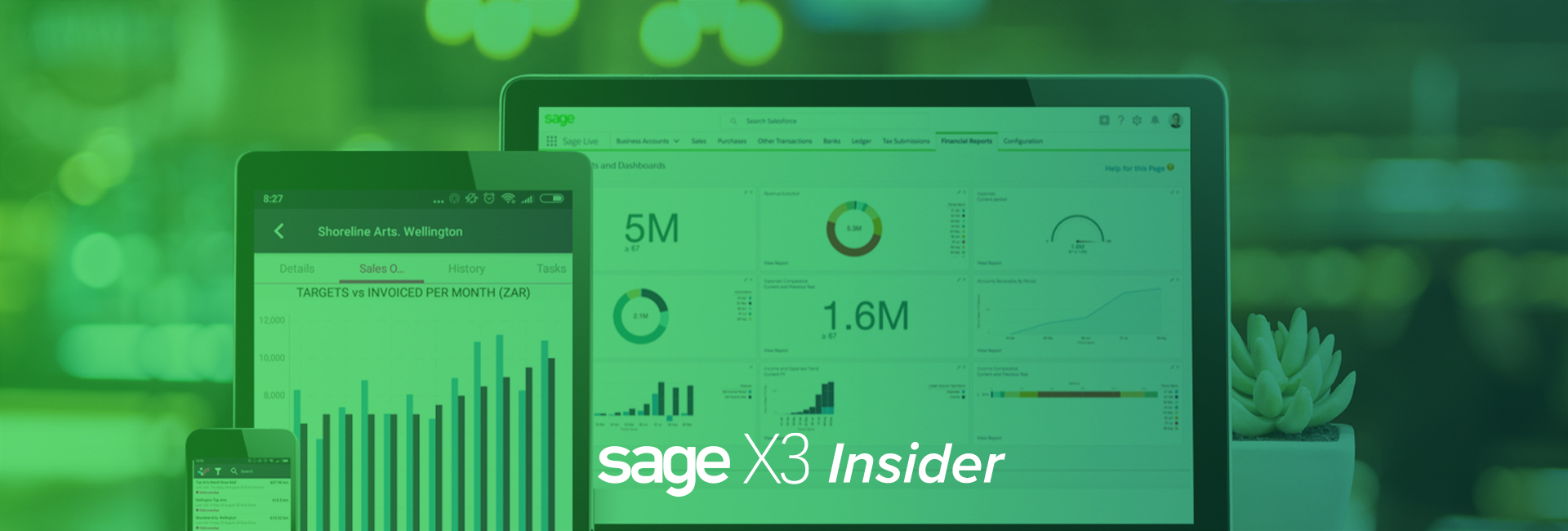
How Skynamo Can Help Your Field Sales Team During the COVID-19 Economy
Does your business have sales teams in the field or at home selling products to existing customers? Skynamo’s field sales app eliminates admin for field sales teams, so they can engage with more customers, spend more time with them and sell more.
View live sales activity. Eliminate call reports. Watch sales soar.
Skynamo, the mobile-first field sales platform for Sage X3, increases sales rep productivity and effectiveness by digitizing paper-based processes, automating administrative tasks, and enabling easy access to customer and product information in the field. GPS technology provides managers with a real-time view of sales activity and sales rep effectiveness in the field, so they can coach their reps remotely. Field sales teams using Skynamo typically double – and in some cases triple – the number of customers they visit per week and increase revenue by up to 20% in the first year.
.embed-container { position: relative; padding-bottom: 56.25%; height: 0; overflow: hidden; max-width: 100%; } .embed-container iframe, .embed-container object, .embed-container embed { position: absolute; top: 0; left: 0; width: 100%; height: 100%; }
Integrating Skynamo with Sage X3 provides field sales agents with the latest product and customer information and order history while on the road or onsite at a customer. Skynamo’s integration capability streamlines the ordering process and improves order accuracy, order fulfillment and time to invoice for field sales teams on the road.
New COVID-19 Safety Features
Skynamo now has new COVID-19 features that support contact tracking and tracing and cultivate culture of compliance.
New specialized virus reporting and screening tools designed for field agents and face-to-face sales executives
The COVID-19 Daily Clock-In empowers high-performing field agents and business owners to do what they do best – customer engagement
Mobile, accessible, tracking-enabled Skynamo can be customized to fit all business requirements
For most organizations, personal contact is essential to achieving sales goals. According to research undertaken by Xant, companies with field agents have a closing rate that’s around 30.2% higher than those who rely on calls or emails and the deals are usually 130.2% larger. This makes field sales a critical investment for companies looking for stability in the current market and economy.
The data presents a real challenge. Meeting face-to-face is the competitive advantage necessary in the current economy to stave off competitors vying for the same customers who now have tighter budgets and are looking to cut costs. However, business owners should not risk the health and safety of an organization’s people.
The COVID-19 Daily Clock-in Screening Form ensures that businesses that require field sales teams to visit customers regularly for relationship management and research are able to protect their employees and remain aligned with occupational health and safety guidelines and best practice.
“There are stringent new regulations for doing business and it’s important for companies to feel that they are doing everything they can to protect their employees and their customers,” says Sam Clarke, Founder & CEO of Skynamo. “Employees also want to get back to work and regain a semblance of normal life. However, this is offset by the Corona virus and the risks that it poses to field sales agents. We recognized the value of providing customized COVID-19 check lists in Skynamo to provide both a company’s customers and employees with an extra level of protection and security.”
“The field sales agents log into the app from the moment that they start the day and it asks a series of questions, that can be customized, that pertain to the virus,” says Clarke. “These include things like temperature, general health, a cough – the basic checklist for the symptoms of the disease. Most companies take these details down when the employee enters the building – their temperature is taken and they’re asked a series of questions. For those in the field, this isn’t possible which is where the app comes in.”
The teams take their temperature and details remotely and provide these to their managers using an accessible digital record. They also complete a different list once they’ve seen a customer. They can answer customized questions around whether the customer was ill, or how well the company adhered to social distancing, for example. This not only ensures detailed record-keeping, but it also ensures that legal procedures are tightly followed in the event that the agent does get ill and needs to apply for worker’s compensation.
“The application gives the business a detailed record of field agent movements and this information can be used to track the illness if someone gets sick,” adds Clarke. “For those high performing, active field sales managers and business owners, it’s an effective tool for returning to work in the business as ‘newsual.’”
Throughout the lockdown, Skynamo has been running webinars for organizations across the manufacturing, wholesale, and distribution sectors to support their COVID-19 strategies and planning. Email us to view a recording of the last webinar.
Currently focused on scale and growth, in spite of current market conditions, Skynamo has also developed free consultations for managers and business owners to help them define sales within the pandemic era.
Read more
ERP
Acuamtica Tips Video: Modifying Existing Reports (Acumatica Report Designer)
In this video we go over how to add another field to an existing report in Acuamtica Cloud ERP. We also show how to download edit and upload a modified version to Acumatica.
Contact us if you have any questions or would like more information about Acumatica features and enhancements.
.embed-container { position: relative; padding-bottom: 56.25%; height: 0; overflow: hidden; max-width: 100%; } .embed-container iframe, .embed-container object, .embed-container embed { position: absolute; top: 0; left: 0; width: 100%; height: 100%; }
Read more