



Blog Listing

Technology in Practice
Practical guidance on ERP, CRM, HR, finance, and the technology powering modern organizations.




ERP
Changing Material Quantity Consumed for Subcontract POs in Sage X3
As part of the subcontract setup in Sage X3, there is a parameter in the Receiving Entry transaction in the “SUBCONTRACTING STOCK” block that defines the Material consumption mode. There are 3 options:
Consume all the planned material with the first receipt, regardless the quantity received.
Consume the material proportionately to finished product received without exceeding the planned quantity.
Consume material proportionately based on the finished product.
That said, this setting can be overridden at the time of receipt. The processed outlined below, illustrates how this is done. It allows you the flexibility to control how much of the raw material is consumed on a receipt by receipt basis.
Step-by-step instructions:
1. Create a subcontract order as normal and generate the subcontract PO. In the example below we ordered 50 each of FGTEST. This translates to 50 each of RMTEST and SSTEST, raw material and subcontract service, respectively.
2. Create the delivery and validate to ship 50 each of RMTEST to the supplier.
3. Receive the finished good (FGTEST) from the supplier. The assumption here is that the supplier only produced 40 of the required 50 of FGTEST but consumed all the material.
4. Before clicking “Create”, click on the Action menu at the beginning of the line for the FG item and select “Subcon order issues”.
5. The following window will appear. Change the quantity to 50 to match the “Available quantity” and consume all the RM shipped to the supplier. After you change the quantity, click “OK”.
6. The Stock Issues screen will appear. You must change the quantity here too and click “Save”.
7. Click “Create” and finish the receipt.
8. Stock Transactions show 40 each of FGTEST being received to stock.
9. Stock Transactions will also show all 50 of RMTEST being consumed from the subcontract location.
.single-format-aside .single-post-wrap p:first-child { font-size: 18px !important; color: #555 !important;}
Read more

ERP
How a Warehouse Management Solution Provides Competitive Advantage
As e-commerce sales continue to increase, drop shipping becomes the norm and overall expectations around shipping make customer satisfaction more difficult to achieve, competitive advantage for companies that sell or distribute products ultimately comes down to a warehouse’s ability to deliver orders faster and more accurately than ever. Using spreadsheets and paper to track inventory as it moves through the warehouse will no longer suffice.
Deploying a Warehouse Management System (WMS) as part of a larger fulfillment and warehousing strategy helps growing businesses optimize warehouse operations in four key areas:
Inbound Logistics
Inventory Visibility
Outbound Logistics
Mobile Scanning
1. Inbound Logistics
As inventory arrives at the warehouse, a WMS helps expedite the receiving process. Using a set of automated processes and pre-defined rules, users are guided through the receiving and putaway process, including recommending bin locations and putaway rules, ensuring inventory is quickly and accurately processed so that it can be used to fulfill orders.
Using a mobile device to receive items automatically assigns the items lot number, serial number, bin location and inventory status as they are received. With NetSuite WMS, inventory is automatically allocated to outstanding open orders and can be taken directly to the packing locations, decreasing fulfillment time and handling costs of putting items away and then picking them to fill an order.
2. Inventory Visibility
With a WMS, inventory is tracked as it moves through the warehouse using barcodes, and lot and serial tracking, ensuring accurate visibility of inventory levels (including allocated stock), orders and fulfillment status at all times. It also gives traceability of perishable goods and can automate expiration dates based on receipt date.
You can also schedule regular cycle counting within the WMS as a means of checks and balances. Cycle counting can be scheduled based on category so that high-moving, or high-value inventory is counted with more frequency than lower value items. By assigning cycle counts to staff based on their function or warehouse location, you can ensure regular counts are completed without disrupting daily operations. Automated processes help by automatically sending reminders prompting staff to complete the required counts, including which products to count and how frequently.
With NetSuite WMS, you get a holistic view of inventory across all physical locations. By setting up physical locations hierarchically and using sub-locations, you can view inventory levels per physical location as well as enterprise wide, allowing for more efficient order fulfillment and replenishment.
3. Outbound Logistics
Using pick and pack logic and strategies available with a WMS, users are guided through the order fulfillment process, ensuring inventory is used when and how you want it to be. Defining a wave release strategy, selecting single or multiple picking type, and setting your wave status further customizes and controls the way orders are processed.
If you’re managing inventory across multiple warehouse locations, NetSuite WMS gives you visibility of inventory by location and allows you to define fulfillment and shipping rules. Ensuring whole orders are being shipped from a single location and orders are assigned to the warehouse closest to the destination minimizes shipping costs and simplifies order orchestration, something that would be impossible to do manually.
4. Mobile Scanning
One of the best ways to increase efficiency in warehouse operations is to integrate a mobile app. The combination of a wireless mobile device and barcode scanning helps to automate processes, such as shipping and receiving, putaway, and picking and packing, and it increases overall operator efficiency. Because information is being recorded in real-time with the mobile app, it’s easy to provide a real-time picture of inventory and ensures accuracy throughout the supply chain.
The NetSuite WMS mobile app was designed with the warehouse manager in mind. It has a clean, clear and easy-to-navigate interface that helps reduce the time operators spend completing everyday tasks, such as inbound, inventory and outbound processing tasks. Through the task manager, you have the ability to direct users to perform specific tasks, such as putaways and picking, based on pre-configured strategies defined during the setup of the WMS system, ensuring inventory is allocated according to plan and not haphazardly. With the use of GS1 barcode scanning you can easily enter items for inbound, inventory or outbound processing.
To further customize the user experience in your warehouse, you can create custom processes within the app. Customizing things like defining default values, hiding/displaying fields and adding fields for data capture can be done from the floor, without any technical expertise. You can export and import custom processes to other devices, ensuring the right users have access.
Making the Move from Manual to Automated
By automating processes, improving operational efficiencies and reducing handling time, a WMS optimizes day-to-day warehouse operations, ensuring you can deliver on customer expectations quickly and accurately.
This article was posted on NetSuite.com and written by By Abby Jenkins,, Product Marketing Manager for Inventory & Order Management, Supply Chain & WMS
Read more
ERP
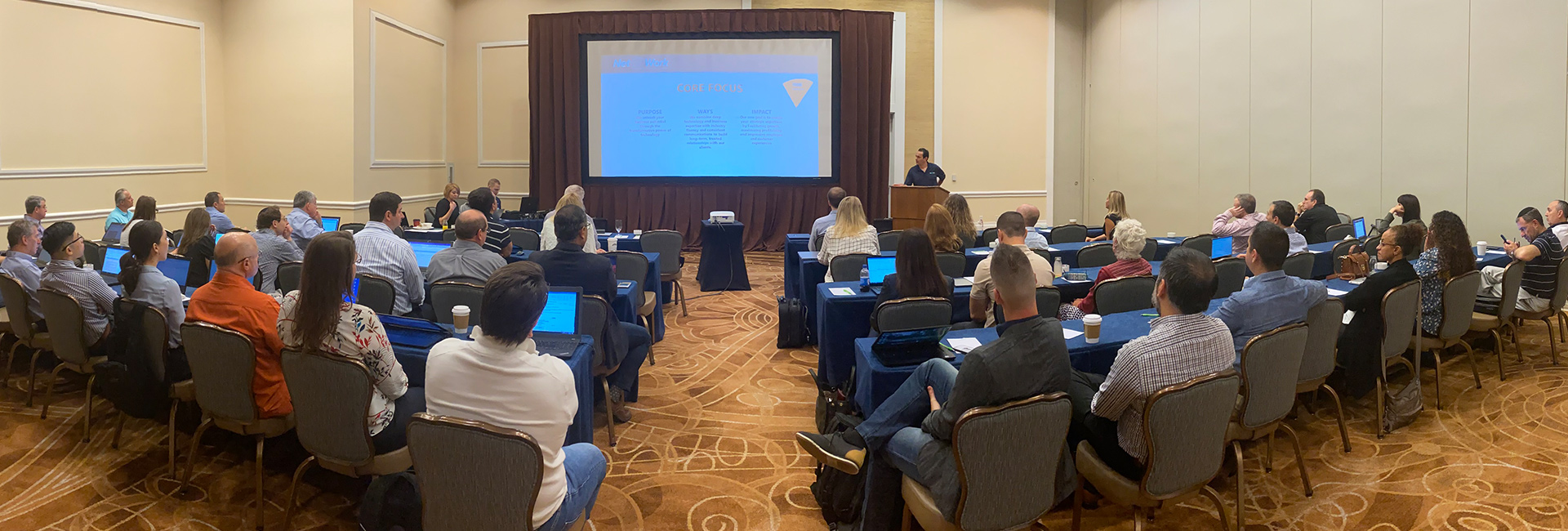
Sage Enterprise X3 Team 2020 Meeting Recap
Our co-founders, Alex and Eddie Solomon joined us and gave motivational origin and vision presentations that helped frame our implementation of EOS and Traction across the organization.
Juliet Iorii and Troy Basel, our new Solution Architects, presented several great topics that we would be happy to share with any of our clients:
Cost Accounting – tips and tricks, validation, reconciliation
New approaches to manufacturing – Net at Work has recently formalized three approaches: Full, Simplified, and Light
Simulated Go Live – best practices to ensure a highly successful go live
Sage also joined us to provide a preview of what’s coming in Sage X3 so we can be well-prepared to support our clients and prospects with questions about the roadmap.
Net at Work thanks our amazing ISV sponsors who help our clients get the most from their Sage X3 investment! It was great to work with you in person since so many of our clients benefit from our partnership.
Gold Sponsors:
Datalinx has been established for over 25 years and is recognized as the market leader in warehouse management and barcode systems for Sage. Our client base ranges from multinationals to smaller companies and we have live systems installed worldwide.
Prophix helps midmarket companies achieve their goals more successfully with its innovative Corporate Performance Management (CPM) software. With Prophix, finance leaders improve profitability and minimize risk by automating budgeting, planning and reporting, and put the focus back on what matters most – uncovering business opportunities and driving competitive advantage. Whether in the cloud or on-premise, Prophix supports your future with a platform that flexes to suit your strategic realities, today and tomorrow.
Sage Enterprise Intelligence is an intuitive business intelligence solution integrated with your Sage business management system to help business users reduce time spent on analysis and reporting and make faster, better-informed decisions. It empowers all users with a simple solution to access and analyze data in a self-sufficient manner, which eliminates the need for disparate tools and specialized skills, and can reduce time to decision.
Silver Sponsors:
Read more

Distribution / Manufacturing
eCommerce
ERP
5 Reasons Wholesale Distributors Can’t Master Ecommerce and Omnichannel
To compete effectively in the digital selling environment, wholesale distributors need robust, user-friendly ecommerce storefronts and omnichannel platforms that can meet the needs of B2C and B2B customers that want their orders fulfilled accurately within one or two days. Meeting these demands is difficult using antiquated, disparate systems that weren’t designed to tackle the rigors of today’s ecommerce and omnichannel selling environment.
Here are the key challenges that these technology systems are creating for distributors:
1. Company systems are disconnected. Working with a web of disconnected, disparate systems that don’t communicate with one another, distributors are forced to piece together information across various departments, software platforms, and information repositories. This eats up time, money, and human resources while also impairing operational ability. A customer relationship management (CRM) system that’s not connected to inventory management or financials, for example, probably isn’t talking to the company’s ecommerce platform either. This lack of communication leads to poor data visibility, limited connectivity, and organizational silos.
2. Information is never up to date. When staff members have to manually enter every single order that comes in, match invoices against those orders, pull those orders to manage customer service requests, and take myriad other steps as the orders are fulfilled, keeping the data up to date and accessible is nearly impossible. The disconnected technology systems drive the need for all of these manual steps. As a result, information is never up to date or accessible.
3. Most integrations are manual. In a world where application programming interfaces (APIs) have streamlined the process of integrating both internal and external systems, manual, labor-intensive integrations have become a thing of the past. Still, most wholesale distributors are grappling with these manual integrations as they try to connect with their vendors and customers. Most of this is still handled manually, versus using a middleware program that integrates seamlessly and kept up to date automatically.
4. Poor customer visibility. Today’s customers have high expectations. Without a comprehensive view of those buyers and their activities—made possible by data and information collected at various points along the customer’s journey—distributors can’t effectively interact with and serve them. Mandatory for both B2C and B2B distributors, the 360-degree customer view is impossible when systems are disconnected, thus creating significant information gaps and, subsequently, poor customer visibility. When CRM isn’t connected to ERP, there’s no way to get real-time visibility into order status and no good answer to the question, “Where’s my order?” The same visibility gaps impact inventory management, where knowing whether an item is in stock and ready to ship requires manual intervention. These issues stand in the way of a good customer experience and create major challenges for wholesale distributors who can’t effectively manage buyer expectations.
5. Staff members that aren’t empowered to make decisions. Under pressure to compete more effectively with the Amazons and Walmarts of the world, wholesale distributors have to be agile, flexible, and responsive. They rely on their employees to help them reach these goals, but when those staff members don’t have accurate, up-to-date data at their fingertips—and when the departments they work in are siloed and disjointed—making quick decisions is difficult at best. Right now, all companies are trying to figure out how to grow revenue and manage shrinking delivery windows, both of which can only be attained when employees are empowered with good, accurate data.
Fully-Integrated Omnichannel Ecosystems
Working with distributors of all sizes, Net at Work blends NetSuite with the ConnectPoint implementation methodology. Implementations typically take about 4-6 months, with the resultant solution connecting the distributors’ sales channels (i.e., Amazon, eBay, Wayfair, etc.) plus their ecommerce platform (SuiteCommerce, Magento, Shopify).
These integrations are essentially connecting any and all of the distributors’ existing networks into the unified ERP. This helps distributors unleash the power of their businesses and the complete omnichannel/multichannel loop that all retailers, manufacturers, and distributors are striving for.
By implementing a unified cloud ERP that incorporates financials, CRM, inventory management, and other functionalities, distributors can vastly improve this customer service component without having to add headcount. Going a step further, the integration of that ERP with ecommerce creates a fully-integrated omnichannel ecosystem in a world that demands it.
For an extended look at this topic, access our white paper for a detailed look at how leading distributors are addressing these challenges to reach full potential in the online and offline selling environment.
Read more

News
New York SHIELD Act: New Cybersecurity Compliance – What You Need to Know
On March 21, 2020 New York State enacted the SHIELD Act (Stop Hacks and Improve Electronic Data Security), which expands New York State’s data breach notification law and imposes stricter data security requirements on businesses that hold the private information of New York State residents. This affects you regardless of whether your business has a physical presence in NY State.
What to Know About the SHIELD Act
The SHIELD Act will impose specific cybersecurity requirements on businesses. The Act says that in order to achieve compliance businesses that own or license computerized data that includes “private information” of New York State residents must implement a “data security program” that includes the following safeguards:
Administrative
Designation of one or more employees to set up the security program
Identification of probable foreseeable external and insider risks
Appraisal of existing safeguards, workforce cybersecurity training, and
Selection of service providers experienced in maintaining appropriate safeguards and requiring those safeguards by contract
Technical
Risk assessments of IT network
Information processing and software design
Transmission and storage, enforcement of measures to detect
Avert and respond to system failures, and regular testing and monitoring of the effectiveness of key controls
Physical
Evaluate risks of information storage and disposal
Identify, prevents and responds to intrusions
Protects against unauthorized access to or use of private information during or after the collection, transportation and disposal of the information
Properly discard private information within an appropriate amount of time after it is no longer needed for business purposes
Watch Recorded Webinar:
The SHIELD Act: What You Need to Know
Watch Now
Penalties for Non-Compliance
The Act increases the potential civil penalties for breach notification law violations to up to $20 per instance of failed notification (capped at $250,000), and imposes new civil penalties (up to $5,000 per violation, with no cap) for certain failures to comply with the data security program requirements. As of the middle of 2019, the Attorney General’s office has fined over $600M related to data breaches.
Next Steps to Achieve Compliance
Organize and implement a data security program that is compliant with the SHIELD Act’s requirements.
Appoint or hire a specialist to oversee the data security program.
Conduct regular data privacy and security training for all new and current employees.
Assess and alleviate data security threats caused by employees and other insiders.
Ensure that records containing the private information of New York State employees and candidates are promptly destroyed in a secure manner after the applicable retention period ends.
Net at Work can help establish and maintain a Cybersecurity Program that complies with the SHIELD Act requirements. Contact us today to ensure your business is SHIELD Act-compliant.
Read more

ERP
Net at Work’s Sage Enterprise X3 Team Continues to Grow
Net at Work’s Sage X3 ERP team is expanding. To meet the unique business requirements and better support our ever-growing number of clients, we have added 4 new members to our Sage X3 team this quarter. They bring decades of expertise to the team in the areas of Project Management, Finance, Technology, and Chemical. Please take a moment to learn more about the skills each brings to our practice.
Meet Our Sage X3 Experts
As Team Manager, Gigi Beaudean-Hornyai leads a team of chemical-focused X3 consultants and clients. She brings a wealth of knowledge about both X3 and the chemical industries where we specialize. Gigi is based out of Atlanta, GA.
Gisela (Gigi) Beaudean-Hornyai
Sage X3 Team Manager – Chemical
gbhornyai@netatwork.com | Direct: 646-293-1789 | Mobile: 678-787-8452
Gigi has been leading high performing teams and driving change throughout organizations for over 13 years. She believes in forming strong partnerships with her clients and team members to drive efficient solutions and share knowledge and best practices. Prior to joining Net at Work, she managed the Finance and IT departments in a Global Chemical Manufacturing where she achieved a deep knowledge and understanding of the chemical industry and process manufacturing environment focusing on continuous process improvement. As a Sage X3 consultant and team manager, she has successfully implemented many ERP implementations as well as third party applications for many industries including pharmaceutical, nutraceutical, food and beverage, chemical distributors, specialty chemical, agriculture, and service good distributors. Gigi has BA in Accounting and a MBA in Global Management.
Daryl Connell brings to the team deep technical experience around Sage X3 in cloud, Active Directory, MS SQL, VPN, TCP/IP, DNS, DHCP, WINS, IP security, routing, and remote access.
Daryl Connell
Technical Consultant, Sage X3
dconnell@netatwork.com | Direct: 646.517.6164 | Mobile: 651.247.4536
Daryl has more than 20 years of hands-on experience in information systems, information technologies, and operations. Prior to joining Net at Work his experience includes working with Software, Hospitality, Medical Device and Manufacturing companies as an IT leader. He has implemented and worked with broad set of ERP and CRM solutions thru out his career. Daryl has a B.S. in Computer & Information Science.
A true world-traveler with global Sage X3 experience, Lynn Eilerd Du-Toit joins us out of Los Angeles, CA.
Lynn Eilerd Du-Toit
Finance Consultant
ltoit@netatwork.com | Direct: 1.800.719.3307 x7121
Lynn is a senior Sage X3 Consultant specialized in Finance and Distribution. Lynn has a masters in finance, accounting and taxation. Lynn has been working as an ERP consultant for over 15 years. She has extensive experience in complex financial configuration and multi-legislation deployment of Sage X3 worldwide. Lynn was contracted to help develop several legislations for Sage X3 such as UAE and African countries. Lynn has completed several full cycle deployments of Sage X3 as well as quality controlled Sage X3 financial configuration of other Sage teams.
Dave McCormick has implemented X3 in the US and Mexico with an impressive drive to succeed. He works out of our Miami, FL office.
Dave McCormick
Project Manager
dmccormick@netatwork.com | Direct: 786.476.7133
Dave brings over 20 years of ERP System implementations and project management experience to Net at Work, and has worked with Sage X3 since 2018. Dave has been a Consultant, Programmer, Report Writer, Business Analyst, SQL Developer, and Project Manager. He has even opened a Garden Center from groundbreaking to successful completion. Dave has extensive experience in many industries, including pharmaceutical, large-scale landscaping, point of sale, automotive, and manufacturing (both U.S. and abroad).
Read more

CRM
Distribution / Manufacturing
ERP
CRM For Manufacturing: 3 Key Areas that Directly Impact Operational Performance
Many manufacturing firms have made investments in Manufacturing CRM Software to help manage their sales processes. They’ve put in place opportunity and quoting management, activity tracking and often analytic tools to measure potential sales and pipeline. As a result, most see an increase in win rates, lead conversions and average lifetime value of customers.
But despite these efforts and investments in manufacturing CRM solutions, many continue to ask what more they can do to improve operational performance and especially around the areas of customer retention and satisfaction.
One of the most overlooked areas for improving not only customer satisfaction, but operational performance as well, is in customer service and inside sales. In the past 12 months, we have worked with numerous manufacturing firms to help refine, automate and streamline activities in these areas. The results: their client issues are addressed faster, with fewer internal resources being required and with fewer long standing, open issues that cause customer dissatisfaction.
[blogpromo type=’whitepaper’ link=’https://www.netatwork.com/resource/crm-for-manufacturers/’ btntext=’Download Now’ iconlabel=’Whitepaper’]
CRM for Manufacturing
3 Key Areas that Directly Impact Operational Performance[/blogpromo]
In a new white paper we have outlined three key areas every manufacturing company should evaluate and prioritize. These key operational improvements can be adopted using features and functionalities found in all the best CRM for manufacturing solutions and will help achieve faster results with fewer internal resources being required and with fewer long standing, open issues that cause customer dissatisfaction.
exte
With these simple steps, manufacturing reps will get the most out of your CRM system:
#1 Prioritizing Issue and Incident Management
#2 Incorporating Part and Consumable Order Management Into your CRM Solution
#3 Bringing the front of the house and back of the house together.
For a more in depth look at these three key areas and how to use CRM to optimize customer retention and satisfaction, access this White Paper on optimizing your investment in CRM for Manufacturing.
Read more

CRM
Distribution / Manufacturing
ERP
ERP: The Backbone of the Customer Experience
Customer centricity is unsurprisingly becoming the norm in today’s B2C and B2B space as more businesses are realizing they need to adopt a customer centric approach in order to remain competitive.
Companies like Amazon have made the consumerization of B2B a demand that businesses can no longer ignore. B2B buyers come with expectations that their buying experience is going to be easy and intuitive. To ignore this expectation is to risk losing customers to a competitor like Amazon who has moved into the B2B space and has now become a major competitor for manufacturers and wholesale distributors.
Yet many manufacturers and distributors are not investing enough in improving their customer experience and are stuck in a routine that results in a series of critical disconnects that impede customer experience and thwart cost reduction such as, decentralized data, fractured view of customers, lack of end-to-end supply chain insights, limited or no ecommerce options, and insufficient customer engagement. Staying competitive calls for increasingly rethinking your business strategies and staying ahead of consumers expectations, which is all tied to your ERP system.
[blogpromo type=’whitepaper’ link=’https://www.netatwork.com/resource/erp-the-key-to-the-customer-experience/’ btntext=’Download Now’ iconlabel=’Whitepaper’]
ERP: The Key to the Customer Experience
[/blogpromo]
Great customer service relies on the ability to harness customer insight that can help your business deliver an excellent customer experience at every point. No wonder ERP is dubbed the backbone of customer experience. A fully integrated ERP system is highly correlated with successful customer service and retention. Having all your systems on one platform creates efficiencies and opportunities to provide more value for your customers and engender loyalty. Savvy distributors and manufacturers see the importance of making processes seamless and are leveraging ERP to influence customer experience.
Access this whitepaper on Why ERP is Key to the Customer Experience to see how the smartest firms are using ERP to win at customer experience.
Read more

ERP
How to Setup and Control Sales Rep Access in Sage X3
In the competitive world of sales, it is critical for sales reps to have sales statistics at their fingertips. At the same time, it is critical for companies to limit the access of a sales rep to their assigned accounts. For this reason, Sage X3 offers a simple way to restrict a user’s access, while allowing for transactions related to the rep to be accessible. This article explains in detail the process for setting up a sales rep and aligning the rep to an X3 user ID.
Create a Sales Rep ID:
Follow: Common data > BPs > Sale rep
1. Select new
2. Enter a Sales Rep ID and other relevant information related to the sales rep
3. Click create
Assign Row Level Permissions:
The Row Level permissions are the source for filtering out specific information based on the rule selected and value assigned to the rule. With these settings a user will only see customers that are assigned to the specified sales rep as well as quotes, orders, deliveries, and invoices that are created for these customers.
Follow: Setup > Users > User
1. Select the user ID that will be assigned to the sales rep
2. Select the organization tab
3. Under Row Level Permissions enter permission code REP – Representative
4. For the Key enter the Sales Rep code that is assigned to the specific user
Linking a Sales Rep to a User:
1. From the left-hand navigation on the user entry screen, select Parameters Per Group
2. Select CRM Customer Relations
3. Select COL Employee Profile then click on the first parameter to access the parameter chapter detail
Assign Parameters:
The parameter chapter detail is where the sales rep parameters will be defined. By defining these parameters, the user and the sales rep that has been created as a BP will be linked in Sage X3. For this to work properly the following parameters must be defined:
1. Function = Sales Engineer
2. Mission Start Date = Date of hire
3. Sales Rep Number = Sales Rep ID created in the sales rep function of the common data module
4. Weekly Structure = SC1 is 5 days 8 hours a day
Row level permissions will work as designed without being linked to a sales rep ID code. However, by linking the user ID to the sales rep the user’s activities will now be tied to the sales rep and the user will be able to take advantage of the Sage X3 enhancements that were designed and developed specifically for the sales team.
Read more