Net at Work is hiring!
Grow your career with us.   Apply Now X
Need Help?
  • Application Remote Support
  • Infrastructure Remote Support
  • Sage HRMS Remote Support
  • Helpdesk
  • General Inquiry
1-800-719-3307
Net at Work Net at Work
  • Solutions & Services
    • ERP/Accounting
      Software & Vendor Selection
      ERP Implementation Services
      ERP Migration Services
      Acumatica
      NetSuite
      Sage X3
      Sage Intacct
      SDMO
      Sage 100 ERP
      Sage 300 ERP
      Sage 500 ERP
      CRM
      Strategic Advisory Services
      CRM Training Camp
      Creatio
      Sage CRM
      Employee Experience
      Sage HRMS
      Rippling
      Workforce Go
      Criterion
      Miviva
      Enterprise Content Management
      Imaging / Scanning
      Document Management
      Workflow Automation
      Solutions
      Nonprofit Solutions
      Abila by Community Brands
      NetSuite
      Sage
      Salesforce
      IT and Security Services
      Managed IT Services
      Fractional CIO Services
      Cloud Services
      Cloud at Work Sage Hosting
      DR/Business Continuity Planning
      Compliance & Security
      Storage & Recovery
      Networking
      IT Security Services
      Communications
      Web Solutions
      Services Overview
      B2B Technology Suite
      Magento eCommerce
      WordPress CMS
      Systems Integration
      Website Managed Services
      Online Marketing & SEO
      ERP eCommerce Integration
      Additional Solutions
      Enterprise Business Intelligence
      Avalara Automated Tax Solutions
      Fortis Payments
      Sage Fixed Assets
      Vertex SMB Sales and Use Tax
      Prime Foodservice Software
      Rental 360
  • Industries
    • Industries
      Chemicals
      Construction
      Discrete Manufacturing
      Field Service
      Food & Beverage
      Healthcare
      Industrial Manufacturing & Equipment
      Medical Devices
      Nonprofit
      Private Equity
      Retail
      Wholesale Distribution
  • Learning Center
    • Online Resources
      Recorded Webinars
      Whitepapers
      Ebooks
      Success Stories
      Upcoming Events
      Live Webinars
      Seminars
      Virtual Training Courses
      Training Courses
      View all available training course options
  • Company
    • Why Us
      Who We Are
      Management
      Our Partners
      Locations
      Careers
      News
      Press Releases
      Success Stories
      Net at Work Blog
      Contact Us
      1.800.719.3307
      Email Us
      Programs
      Alliance Partnership Program
      Women at Work
      Diversity and Inclusion
  • Blog
  • Contact Us
  • Contact Us

Home » Newsletters » Sage 100 Newsletter – Q3 2020

Sage 100

Sage 100 Newsletter – Q3 2020

Keeping You Up-To-Date With Information About Sage 100

From the Desk of the Sage 100 Consulting Manager, Lisa Margolies

By: Lisa Margolies, Sage 100 Consulting Manager

In our last newsletter, I discussed the “new normal” and what that meant.  The Net at Work team has been fortunate as working remotely is something most of our team have been used to.  The bigger challenge was our team working with our clients who were not used to working remotely.

Read More »

Sage 100 v2020 Product Update 1

By: Net at Work Team

While many of our clients have upgraded to the new Sage 100 version 2020, v2020 Product 1 was released on September 17th. Some of the features that have been incorporated into Sage 100 2020 Product Update 1 include:

Read More »

Creating a Custom Field in Sage 100

By: Jane Amorim, Business Analyst / Consultant

Creating your own fields in Sage 100 is the easiest and quickest way to enhance your ERP.  We will go through the steps to create a new field and add it to a screen in Sage.

Read More »

Sage 100 1099-MISC / 1099-NEC

By: Maureen Bartels, Senior Business Consultant

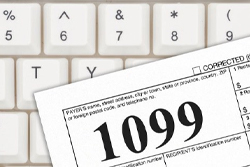
As many of you know, the IRS has created a new form to handle Non-Employee Compensation, called the 1099-NEC.  In the past, 1099-MISC would handle non-employee compensation in box 7,  however,  when you file for the year 2020, you will need to use the 1099-NEC for non-employee compensation over $600.

Read More »

Sage Fixed Assets (FAS) Consolidated Reporting

By: Chris Wilbur, Senior Business Analyst/Consultant

Did you know you can generate reports that reflect more than one FAS company?  This is made possible by the Merge Companies feature.  When two or more companies are merged together, the original companies remain unchanged.

Read More »

Protecting Business Continuity in the Event of a Coronavirus-based Cyberattack

By: Kirsten Bay, CEO of Cysurance

The unprecedented global pandemic COVID-19 is impacting businesses in ways never before seen. In a recent CNBC survey, more than one-third of senior technology executives said cybersecurity risks have increased as a majority of their employees work from home, and 53% say their firm hasn’t stress-tested their system for an event like this.

Read More »

Featured Sage 100 Consultant: Dan St. John, Senior Business Analyst

By: Net at Work Team

Before joining Net at Work, Dan was with Southeast Computer Solutions for 31 years, initially as a customer. During his tenure with Southeast, he was a Certified Sage Trainer for Sage 100 (MAS90/200), Crystal Reports, FRx, and Sage Intelligence. Additionally, Dan is certified in Sage 500, Sage Fixed Assets, and Sage Enterprise Intelligence.

Read More »


Sage 100 Quick Tips
By Brett Zimmerman, Senior Business Analyst / Consultant 

What file do I edit for a report on a custom reports menu in Sage 100?

Each module in Sage 100 has a Custom Reports menu.  This is often where custom ‘Crystal Reports’ reside.  So what if you need to make a change to one of these reports?  Sure, you may already have authorization to navigate to the ..\Reports\ folder on the server, but sometimes it’s not very obvious as to which .rpt file to edit (because of the file-naming convention).  Here’s a little trick that’ll help you out*:

  1. Launch the report via the Custom Reports menu item.
  2. Change your printer to ‘Export’ and click Print.
  3. When prompted for Format (use Adobe pdf) and Destination (use Disk), click OK.
  4. Click OK at the Page #’s prompt.
  5. Then at the ‘Save’ (Choose Export File) screen, take notice of the filename.

*  Specific steps may vary slightly by version.

Would you like to learn more about Crystal Reports?  We offer ‘live’ classes.

  • This field is for validation purposes and should be left unchanged.
In This Issue
  • From the Desk of the Sage 100 Consulting Manager, Lisa Margolies
  • Sage 100 v2020 Product Update 1
  • Creating a Custom Field in Sage 100
  • Sage 100 1099-MISC / 1099-NEC
  • Sage Fixed Assets (FAS) Consolidated Reporting
  • Protecting Business Continuity in the Event of a Coronavirus-based Cyberattack
  • Featured Sage 100 Consultant: Dan St. John, Senior Business Analyst
  • Sage 100 Support

    Helpdesk:
    P: 888.494.9479
    E: helpdesk@netatwork.com

    Ready to Upgrade Your
    Sage 100?
    Fill out this form and get your free quote
    Request Upgrade Quote

    Request Sage 100
    Consulting Services

    Get Help From Our Sage 100 Consultants
    Request Services

    Sage 100 Live Webinars

    Supercharge Sage 100 with Fortis Payments
    October 8 | 2pm ET
    Register Here

    Year End CRM Evaluation: 2025 Platform Comparison Guide
    October 8 | 2pm ET
    Register Here

    Stop Microsoft 365 Attacks Before They Hit
    October 14 | 2pm ET
    Register Here

    Popular Recorded Webinars

    The Case for Hosting Sage 100 in the Cloud

    What’s New in Sage 100 v2025

    Unified Employee Self-Service Portal, Integrated Seamlessly with Sage 100

    Actionable Tips to Improve AP & AR Process for Sage 100

    Sage 100 – Live Online Training Courses

    Wide range of class topics! Browse the course calendar & register.

    Sage 100 Webinar Archive

    View our library of on-demand recorded webinars.

    Refer a friend, get a $100 Gift Card!

    Submit a Referral / Learn More!
    Do you have a friend or colleague whose company might benefit from utilizing a Net at Work service or solution? If so, refer them to us below and receive a $100 gift card or donation to your charity of choice!

    Connect With Us

    Business Applications

    • Overview
    • Software & Vendor Selection
    • ERP Implementation Services
    • ERP Migration Services
    • Cloud ERP
    • CRM
    • Employee Experience
    • ECM
    • Nonprofit Solutions

    Learning Center

    • White Papers & Guides
    • Ebooks
    • Training Courses
    • Virtual Training Courses
    • Success Stories
    • Live Webinars
    • Recorded Webinars
    • Trials

    Infrastructure Solutions

    • Managed IT Services
    • Fractional CIO & Advisory Services
    • Cloud Services
    • Cloud at Work Sage Hosting

    Support

    • Application Remote Support
    • Infrastructure Remote Support
    • Sage HRMS Remote Support
    • General Inquiry
    • Helpdesk

    Web Development

    • Services Overview
    • Magento eCommerce
    • WordPress CMS
    • Systems Integration
    • Website Managed Services
    • ERP eCommerce Integration

    Company Information

    • Why Us
    • Alliance Partnership Program
    • Women at Work
    • Diversity and Inclusion
    • Partners
    • Careers
    • News
    • Blog
    • Privacy Policy
    • Contact Us

    Additional Solutions

    • Enterprise Business Intelligence
    • Avalara Automated Tax Solutions
    • Fortis Payments
    • LeaseQuery Lease Accounting
    • Sage Fixed Assets (Sage FAS)
    • Vertex SMB Sales and Use Tax
    • Prime Foodservice Software
    • Rental 360
    • SDMO

    Industries

    • Chemicals
    • Construction
    • Discrete Manufacturing
    • Field Service
    • Food & Beverage
    • Healthcare
    • Industrial Manufacturing & Equipment
    • Medical Devices
    • Nonprofit
    • Private Equity
    • Wholesale Distribution
    Net at Work
    Net at Work (HQ)
    575 8th Ave
    New York, NY 10018

    P: (800) 719-3307
    info@netatwork.com
    Locations Across North America »
    Visit our sister companies:
    Cloud at Work - Sage Application Hosting
    Pixafy - An eCommerce Agency
    Docutrend
    WordPress Image Lightbox Plugin


    Our website uses cookies to ensure you get the best experience. Learn more.

    I Understand